What is Webflow?
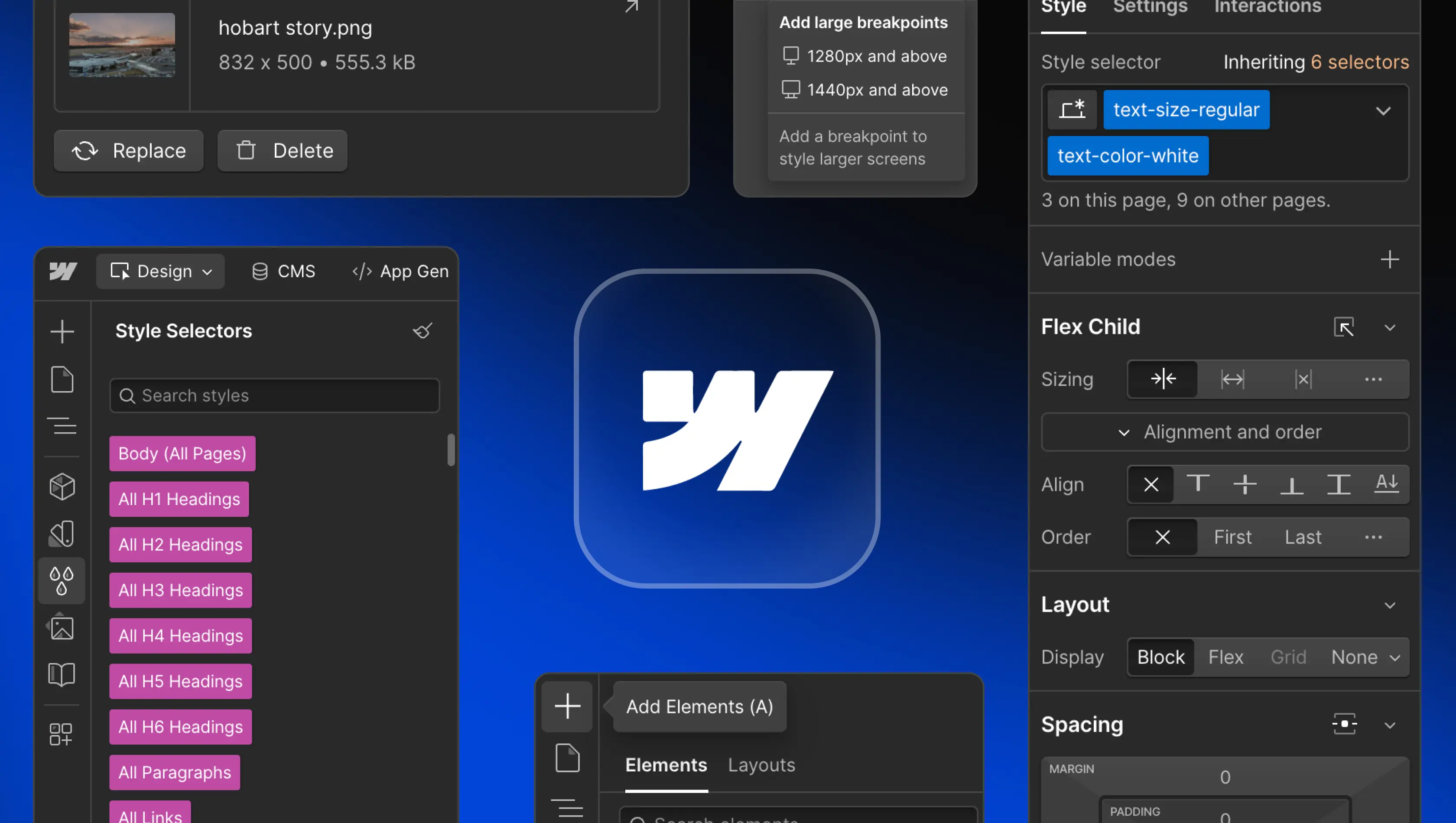
Table of Contents
Webflow is a modern web development platform that allows users to design, build, and launch responsive websites without writing code. It merges visual design freedom with clean technical structure, giving teams the power to create fully custom, high-performing sites through an intuitive drag-and-drop interface.
As a no-code website builder, Webflow bridges the gap between design and development. It enables designers, marketers, and developers to collaborate within one workspace, reducing reliance on plugins, manual hosting, or complex workflows. The result is faster delivery, lower maintenance, and a streamlined path from concept to live Webflow websites that enhance a company’s online presence.
Key features of Webflow
Visual Canvas and Designer
The Visual Canvas and Webflow Designer are at the heart of the platform. They allow users to build professional website designs visually, adjusting layouts, fonts, and colours while Webflow generates clean HTML, CSS, and JavaScript in real time. The live canvas reflects how the site will appear in the browser, ensuring true-to-design accuracy. This environment feels familiar to those using design tools such as Figma, combining creativity with structure. For teams managing multiple projects, it’s a fast, collaborative workspace that streamlines Webflow development and reduces the gap between design and production.
Content Management System (CMS)
The Webflow CMS transforms how dynamic content is managed. Users can create custom CMS Collections for blog posts, products, or case studies, then design templates that pull that content directly into each page. The interface allows editors to update text, images, and links in real time through the CMS or directly on the page in the Designer without altering layout or code. This makes it simple for SaaS companies or ecommerce websites to maintain up-to-date pages that reflect their brand. Webflow’s integrated design tools and optimisation features ensure content is both visually consistent and technically efficient to maintain and scale.
Interactions and animations
Webflow includes advanced animation capabilities powered by GSAP (GreenSock), now part of Webflow’s native technology stack. Designers can create fluid, timeline-based animations that respond to scroll, hover, or click events without needing external scripts. These animations run efficiently within the browser, improving engagement while maintaining fast load times. Combined with Webflow’s visual interface, teams can control complex motion sequences directly in the Designer, enabling creative storytelling and refined user experiences that align with brand and performance goals.
Advanced SEO Control
Search visibility is built into Webflow. Users can configure SEO settings, including meta descriptions, alt text, canonical tags, and Open Graph data, while the platform handles optimisation automatically. Its clean code structure, fast load speeds, and built-in SSL certificates improve search rankings. Because Webflow’s global CDN delivers assets efficiently, websites benefit from faster performance and stronger search visibility.
Secure hosting
Webflow’s secure hosting runs on Amazon Web Services (AWS) and Fastly’s CDN, delivering fast, reliable performance worldwide. Each Webflow site includes free SSL encryption, automated backups, and instant publishing in real-time. Managed site plans remove the need for manual configuration or updates, giving teams a scalable and dependable foundation. Whether launching marketing sites, product platforms, or ecommerce websites, users can select the Webflow pricing tier and site plan that best fits their growth. This managed hosting gives peace of mind and keeps sites performing at enterprise standard.
Integrations
Webflow connects easily to marketing, analytics, and automation platforms such as Google Analytics, Zapier, and Mailchimp. It also integrates with payment providers like Stripe, enabling seamless transactions for online stores. Developers can expand functionality with APIs and custom code, while businesses on Webflow Enterprise plans can link directly into their broader tech stack. These integrations create a unified digital workspace that helps teams manage projects efficiently from one place.
Content Localisation (Global Websites)
Webflow enables content localisation for global audiences, allowing teams to manage regional domains and translations within the same design. Localised CMS fields help deliver relevant content while preserving brand consistency. For businesses expanding beyond Australia, this capability ensures design, website content, and SEO optimisation are maintained across languages, essential for a cohesive global online presence.
Page Speed & Performance
Performance and optimisation are built into Webflow’s architecture. The platform automatically compresses assets, minifies code, and serves content through a global CDN for rapid loading. Pages are optimised in real-time, ensuring smooth interaction and better search engine results. This focus on efficiency lets teams build visually rich websites that perform at scale without sacrificing quality which is ideal for agencies, SaaS companies, and startups prioritising speed and reliability.
Who Benefits from Webflow?
For Marketing Teams
Marketing teams use Webflow to streamline campaigns and launch pages without waiting on developers. They can publish landing pages, update copy, and run A/B tests directly through the platform. This autonomy helps tech companies and SaaS platforms maintain agility while allowing engineers to focus on product work. Built-in SEO and analytics integrations strengthen their online presence, and custom site plans mean scaling doesn’t require technical changes.
For Designers
For designers, Webflow is an all-in-one design tool that bridges creativity and functionality. It allows complete control over typography, layout, and motion through the Webflow Designer, turning Figma design systems into live, responsive sites powered by a robust and flexible CMS. Designers can test results in real time and deploy without developer intervention. The platform enhances collaboration between design and development, helping teams maintain visual precision and brand consistency from concept through to launch.
For Developers
Developers use Webflow to build, maintain, and scale high-performing sites more efficiently. Its visual development environment speeds up front-end production while maintaining full control over structure, performance, and scalability. By managing marketing and content sites within Webflow, organisations keep engineering resources focused on product development rather than routine updates. The platform still provides flexibility for technical teams through custom code, APIs, and integrations with major SaaS tools. Shared workspaces empower marketing teams to publish independently, reducing developer overhead and accelerating delivery across the organisation.
How Does Webflow Compare to Other Platforms?
Webflow vs. WordPress
WordPress offers extensive plugins but relies on manual updates and separate hosting. Webflow websites simplify maintenance by combining hosting, CMS, and visual editing into one secure environment. While WordPress suits developers comfortable with managing infrastructure, Webflow’s design tools, SEO optimisation, and faster publishing make it more efficient for modern teams.
Webflow vs. Framer
Framer excels at interactive prototyping and React-based design but lacks the comprehensive CMS and hosting options of Webflow. Webflow’s development platform supports dynamic content, ecommerce websites,scalable site plans and enterprise plans, making it better for business websites that need control, structure, and performance. For long-term growth, Webflow delivers more practical flexibility.
Webflow vs. DIY Builders (e.g. Wix and Squarespace)
Builders like Wix and Squarespace offer ease of use with pre-set templates but limited customisation. Webflow provides the same drag-and-drop simplicity with far greater design freedom, performance, and scalability. It’s designed for professionals who want total control over web design, SEO optimisation, and integrations. Qualities that turn a simple website builder into a professional webflow development environment.
Webflow vs Custom Code
Custom-coded projects offer complete flexibility but require more time and technical skill. Webflow bridges this gap by generating clean code automatically through its visual designer. Teams can still embed custom HTML, CSS, or JavaScript, balancing control and speed. Compared to traditional builds, Webflow reduces costs and accelerates delivery, making it ideal for startups, agencies, and freelancers needing professional results quickly.
The Future of Webflow and No-Code Development
Webflow has evolved beyond a website builder into the world’s first Website Experience Platform (WXP). This new category brings design, content management, hosting, analytics, and optimisation together in one system. Teams can design visually, manage content dynamically, test ideas with Webflow Optimize, and measure engagement through Webflow Analyze, all without relying on separate tools or plugins.
By connecting design, data, and delivery, Webflow enables continuous improvement across every part of a website’s lifecycle. It provides a single environment where creative, marketing, and technical teams can collaborate in real time, making the web faster to build, easier to manage, and more effective as a business channel.
Is Webflow the Right Choice for Your Project?
Webflow is a strong choice for organisations that value design precision, speed, and scalability. It supports marketing sites, SaaS platforms, and ecommerce websites through a unified visual development environment that streamlines workflows across teams. For most businesses, the platform’s built-in SEO, CMS, and hosting capabilities remove the need for multiple tools or plugins, reducing ongoing maintenance and costs.
For SaaS startups, agencies, and established brands, working with experienced Webflow experts or certified Webflow partners ensures your site is scalable, user-friendly, and built for long-term performance. With Webflow now positioned as the first Website Experience Platform (WXP), it provides the flexibility and control modern teams need to design, launch, and evolve digital experiences efficiently.
What are the limitations of Webflow?
While Webflow offers extensive flexibility, it has practical limits depending on project scale and technical requirements. Complex applications or products that rely on advanced back-end logic, user authentication, or custom databases may still require a dedicated development framework. Webflow Ecommerce suits most retail and content-driven businesses, but large retailers may need more specialised integrations or back-end systems.
For teams seeking complete control over infrastructure or highly dynamic user experiences, Webflow can serve as part of a hybrid stack alongside traditional development platforms. Understanding these boundaries helps ensure each project uses Webflow for what it does best: delivering fast, reliable, and visually precise websites that are easy to maintain.
If you’re considering a rebuild, redesign, or platform migration, Edition can guide you through the best options. Let’s talk.
FAQs
What does Webflow offer businesses?
Webflow gives Australian brands a smarter way to build websites that are fast, secure, and easy to maintain. It brings design, CMS, hosting, and SEO together in one visual workspace, removing plugin and platform friction. Teams can design, publish, and optimise from the same place, cutting delivery time and cost. The result is a consistent, responsive website that’s simple for marketing teams to update and reliable for developers to support. Perfect for growing companies wanting speed without complexity.
Is Webflow better than WordPress?
For most organisations, yes. WordPress depends on separate hosting and plugin maintenance, which adds ongoing effort and risk. Webflow combines design, hosting, and security within one managed system. That means faster performance, stronger design precision, and less time spent patching or updating. For Australian businesses that want professional site design without constant technical work, Webflow delivers a cleaner, more stable, and future-proof solution.
Is Webflow good for startups and SaaS companies?
Yes. Startups need to move quickly, launch campaigns, and evolve messaging fast. Webflow lets teams build visually and push changes live in real time. For SaaS companies, this keeps marketing agile while engineers stay focused on product development. Its modular CMS and flexible design tools make iteration simple and support growth without rebuilds. Ideal for founders balancing speed, polish, and limited engineering resources.
Does Webflow support ecommerce websites?
Absolutely. Webflow Ecommerce provides full creative control for online stores. Businesses can customise product pages, checkout flows, and marketing layouts while managing inventory and payments through Stripe. Everything is responsive out of the box, and the same editor used for other Webflow sites powers store updates. The result is a high-performing ecommerce experience that looks refined and scales with demand.
Is Webflow easy for clients to manage after launch?
Yes. Once the site is live, clients can update text, imagery, or products directly in the visual editor. No code or extra software required. The process feels natural and immediate, showing changes in context before publishing. Loom videos and Webflow University tutorials make handover straightforward so internal teams can handle everyday edits confidently and independently.
What is the learning curve like for Webflow?
The learning curve is light. Projects are set up with reusable components, page templates, and a structured Webflow CMS that keeps editing intuitive. Most teams can add pages or content using pre-built modules while maintaining brand consistency. After a brief walkthrough and access to tailored training videos, marketing staff can manage content while developers focus on larger improvements.