What is Webflow?
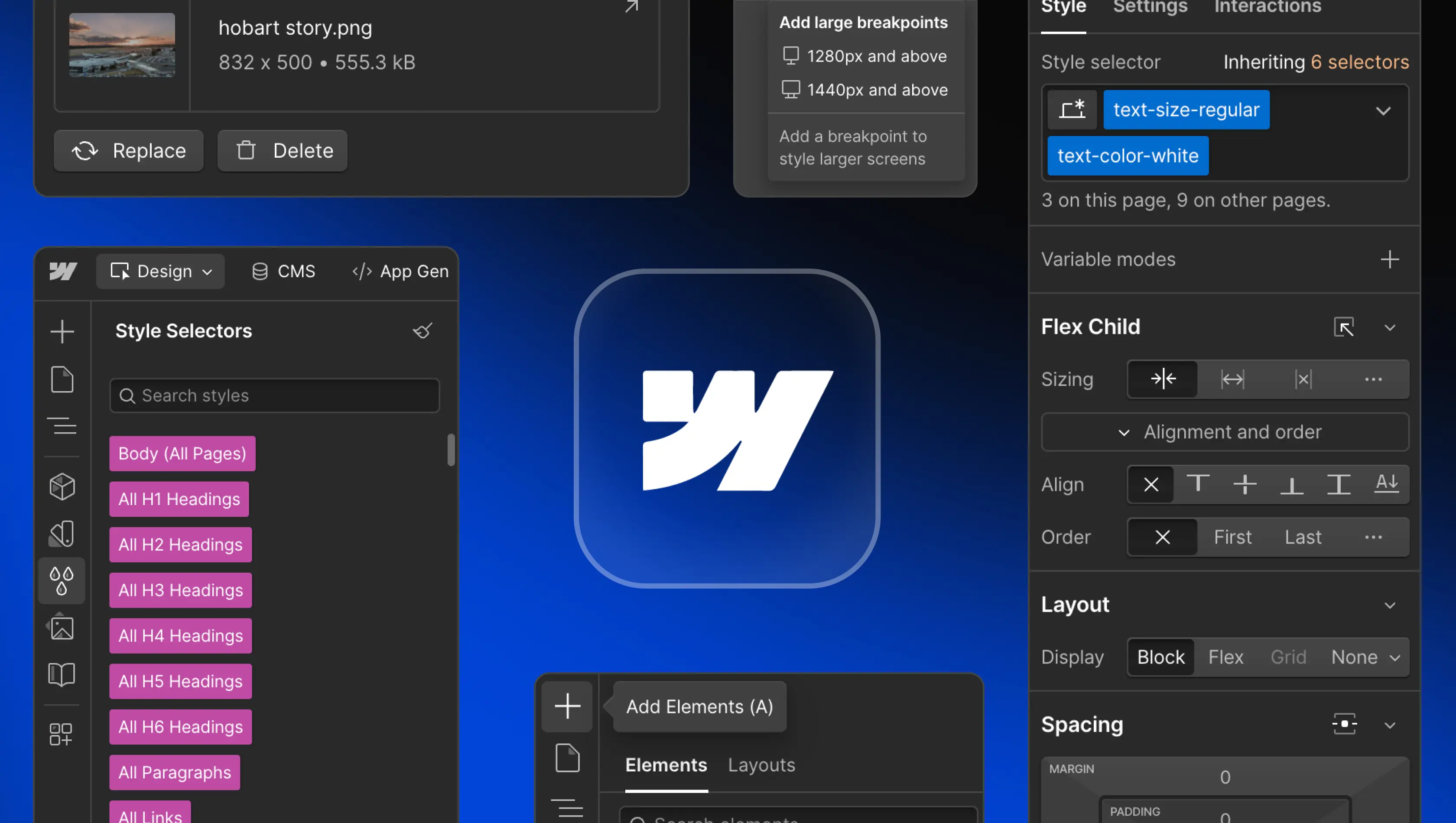
Table of Contents
Webflow is a visual development platform that enables teams to design, build, and launch responsive websites without writing code. It brings design, content management, and hosting together in one unified environment, helping organisations move faster and reduce dependence on traditional engineering workflows. By combining creative flexibility with robust technical control, Webflow gives teams the freedom to scale their digital presence efficiently.
Key features of Webflow
Visual Canvas and Designer
The Webflow Designer gives teams precise visual control over layout, typography, and structure while generating clean HTML, CSS, and JavaScript in the background. Designers and developers can collaborate in real time, reducing hand-offs and build friction. The platform’s responsive canvas allows layouts to adapt seamlessly across breakpoints, making it simple to create consistent experiences on any device.
Content Management System (CMS)
The Webflow CMS powers dynamic content using CMS Collections, ideal for blogs, case studies, or product listings. Editors can update text, media, and links through Webflow’s on-page editing interface in real time. Marketing teams can manage large volumes of content without relying on developers, ensuring scalability and consistency. The CMS structure also improves SEO performance by keeping content well-organised and accessible to search engines.
Interactions and animations
Webflow includes advanced animation tools powered by GSAP (GreenSock), now integrated directly into its core technology. Designers can craft fluid, timeline-based motion effects that respond to scroll, hover, and click events. These interactions enhance engagement while maintaining smooth performance. By combining creative control with efficient rendering, teams can produce expressive, high-performance experiences without external scripts or dependencies.
Advanced SEO control
Webflow provides granular access to essential SEO settings, including page titles, meta descriptions, redirects, and indexing preferences. It automatically generates clean code and XML sitemaps to help search engines crawl content effectively. A global CDN and built-in SSL encryption support fast load times and secure browsing, strengthening visibility and trust. With technical optimisation handled natively, teams can focus on creating high-quality content and driving growth.
Secure hosting
Webflow’s hosting delivers reliability and scalability through AWS infrastructure and a global CDN, ensuring consistent performance worldwide. Each Webflow site includes automatic SSL certificates, backups, and version control. Businesses can select Webflow pricing tiers and site plans to match their performance requirements. With server management handled automatically, teams can rely on a secure foundation designed for speed and uptime.
Integrations
Webflow connects easily to marketing, analytics, and automation tools such as Google Analytics, Zapier, and Mailchimp. It also integrates with payment providers like Stripe, enabling secure transactions for ecommerce websites. Developers can extend functionality through APIs and custom code integrations, while Webflow Enterprise offers deeper connections with CRMs and internal systems. These integrations unify content, analytics, and operations, giving teams a connected workspace for collaboration.
Content localisation (global websites)
Webflow’s localisation tools enable teams to manage multilingual and regional content within a single project. Static and dynamic content can be translated, structured by locale, and automatically linked through alternate tags for SEO accuracy. Each language version inherits the same design system, ensuring brand consistency while reducing duplication. This allows organisations to scale internationally with confidence and maintain performance across markets.
Page speed and performance
Performance is central to Webflow’s platform. Assets are automatically optimised, code is minified, and images are compressed to deliver fast-loading pages across devices. A global CDN distributes content close to users, and real time caching maintains stability under heavy traffic. Together, these optimisations improve user experience, engagement, and search-engine rankings.
Who benefits from Webflow?
For marketing teams
Webflow empowers marketing teams to manage and update websites independently. They can launch landing pages, publish content, and adjust campaigns using Webflow’s intuitive on-page interface. Built-in analytics and SEO controls support data-driven decisions, while shared workspaces streamline collaboration. This independence shortens production cycles and allows teams to focus on strategy and results rather than technical constraints.
For designers
Designers use Webflow to bridge creativity and implementation. The Webflow Designer provides complete control over layout, typography, and animation, enabling design systems to scale consistently. Integrations with Figma and reusable components allow design teams to maintain brand standards while working faster. This approach reduces friction between design and development and helps ensure every site delivers both aesthetic and functional precision.
For developers
Developers use Webflow to build and maintain websites efficiently while retaining flexibility through custom code, APIs, and integrations with SaaS tools. By managing marketing and content sites within Webflow, engineers can focus their time on core product development rather than maintenance. Shared workspaces and role-based permissions let marketing teams publish independently, reducing developer involvement in day-to-day content updates.
How does Webflow compare to other platforms?
Webflow vs WordPress
Webflow eliminates the need for external plugins and manual updates, offering an all-in-one environment for design, content, and hosting. Unlike WordPress, where themes and third-party extensions often introduce complexity, Webflow provides integrated performance, security, and visual control. This reduces maintenance overhead and enhances long-term stability.
Webflow vs Framer
Framer offers strong design prototyping but is limited in CMS depth and scalability. Webflow supports advanced dynamic content, integrated hosting, and full production-ready output. It’s designed for growing organisations that need a flexible platform to manage both creativity and scale.
Webflow vs DIY builders (e.g. Wix and Squarespace)
DIY builders prioritise simplicity but often lack flexibility and depth for professional use. Webflow provides similar accessibility but adds customisation, scalability, and integrated CMS capabilities. Teams can maintain creative control while managing advanced features such as animations, SEO, and performance within a single platform.
Webflow vs custom code
For highly complex applications or interactive systems, custom development remains essential. However, Webflow bridges the gap by giving design and marketing teams autonomy to deliver production-grade websites without engineering bottlenecks. It allows faster iteration while maintaining code quality and visual precision.
The future of Webflow and no-code development
Webflow continues to evolve beyond its no-code roots, becoming an enterprise-ready platform that connects design, content, and engineering workflows. The integration of GSAP animation technology, expanded Webflow Enterprise features, and deeper API connectivity demonstrate its commitment to scalability and creative flexibility.
As organisations adopt faster, design-led workflows, Webflow’s balance of flexibility, scalability, and precision positions it as a central tool in the modern digital stack. It allows teams to design, build, and iterate continuously without sacrificing performance or control.
Webflow as the first Website Experience Platform (WXP)
Webflow has evolved into the world’s first Website Experience Platform (WXP); a new category that unifies design, content management, hosting, analytics, and optimisation. Teams can design visually, manage content dynamically, test ideas with Webflow Optimize, and measure engagement through Webflow Analyze, all within the same environment.
By connecting design, data, and delivery, Webflow enables continuous improvement across every stage of a website’s lifecycle. It provides a single collaborative space where creative, marketing, and technical teams can work together efficiently to deliver high-performing digital experiences.
Is Webflow the right choice for your project?
Webflow is a powerful choice for organisations that prioritise speed, scalability, and precision in website delivery. It supports marketing sites, SaaS platforms, and ecommerce websites through a unified visual development environment that streamlines collaboration across teams. The platform’s built-in SEO, CMS, and hosting remove the need for multiple tools, reducing maintenance and costs.
For startups, agencies, and established brands, working with experienced Webflow experts ensures each site is scalable, user-friendly, and optimised for long-term performance. As the first Website Experience Platform (WXP), Webflow gives teams the flexibility to design, launch, and evolve their online presence efficiently.
What are the limitations of Webflow?
Webflow’s flexibility suits most business websites, but highly complex products or apps requiring advanced back-end logic, user authentication, or database operations still benefit from traditional frameworks. Webflow Ecommerce supports most retail and content-driven projects, though larger retailers may need deeper integrations or bespoke systems.
For teams requiring complete control over infrastructure, Webflow can form part of a hybrid stack that pairs visual development with custom engineering. Understanding its scope helps ensure each project uses Webflow for what it does best: creating reliable, fast, and visually consistent websites that are simple to manage.
Thinking about your next website build or migration? Edition works with teams to choose the right path forward. Get in touch.
FAQs
What does Webflow offer businesses?
Webflow provides a unified way for organisations to build high-performing, secure, and scalable websites. Its visual design environment, CMS, hosting, and SEO tools sit within one platform, removing dependency on plugins or separate systems. Teams gain faster delivery, reduced costs, and a smoother editing experience. With design and infrastructure integrated, Webflow simplifies operations and supports long-term growth.
Is Webflow better than WordPress?
Usually, yes. WordPress relies on multiple plugins and manual maintenance to stay secure and optimised. Webflow offers design precision, hosting, and SEO tools inside a single controlled ecosystem. This improves performance, reduces risk, and saves time. For organisations that value creative freedom and stability without the complexity of open-source management, Webflow is a dependable alternative.
Is Webflow good for startups and SaaS companies?
Yes. Startups and SaaS teams benefit from being able to design and launch updates visually without coding. Marketing can stay agile while engineers focus on product work. Webflow’s modular CMS and reusable components make scaling efficient, whether expanding into new markets or introducing new features.
Does Webflow support ecommerce websites?
Yes. Webflow Ecommerce lets businesses design and manage online stores with total creative control. It connects with Stripe for secure payments, handles inventory, and ensures responsive layouts across devices. The result is a professional, high-performing ecommerce presence that scales with the business.
Is Webflow easy for clients to manage after launch?
Yes. Webflow’s on-page editor allows quick content updates directly within the layout. Text, imagery, and product data can be changed without developer input, making management simple and efficient. Learning resources such as Loom videos and Webflow University tutorials support teams in staying self-sufficient.
What is the learning curve like for Webflow?
The learning curve is light when the site is well structured. Built-in components, templates, and a clear CMS make updates straightforward. Most teams can add or edit content confidently after a brief onboarding session, maintaining brand consistency and site quality without coding knowledge.