What is Webflow?
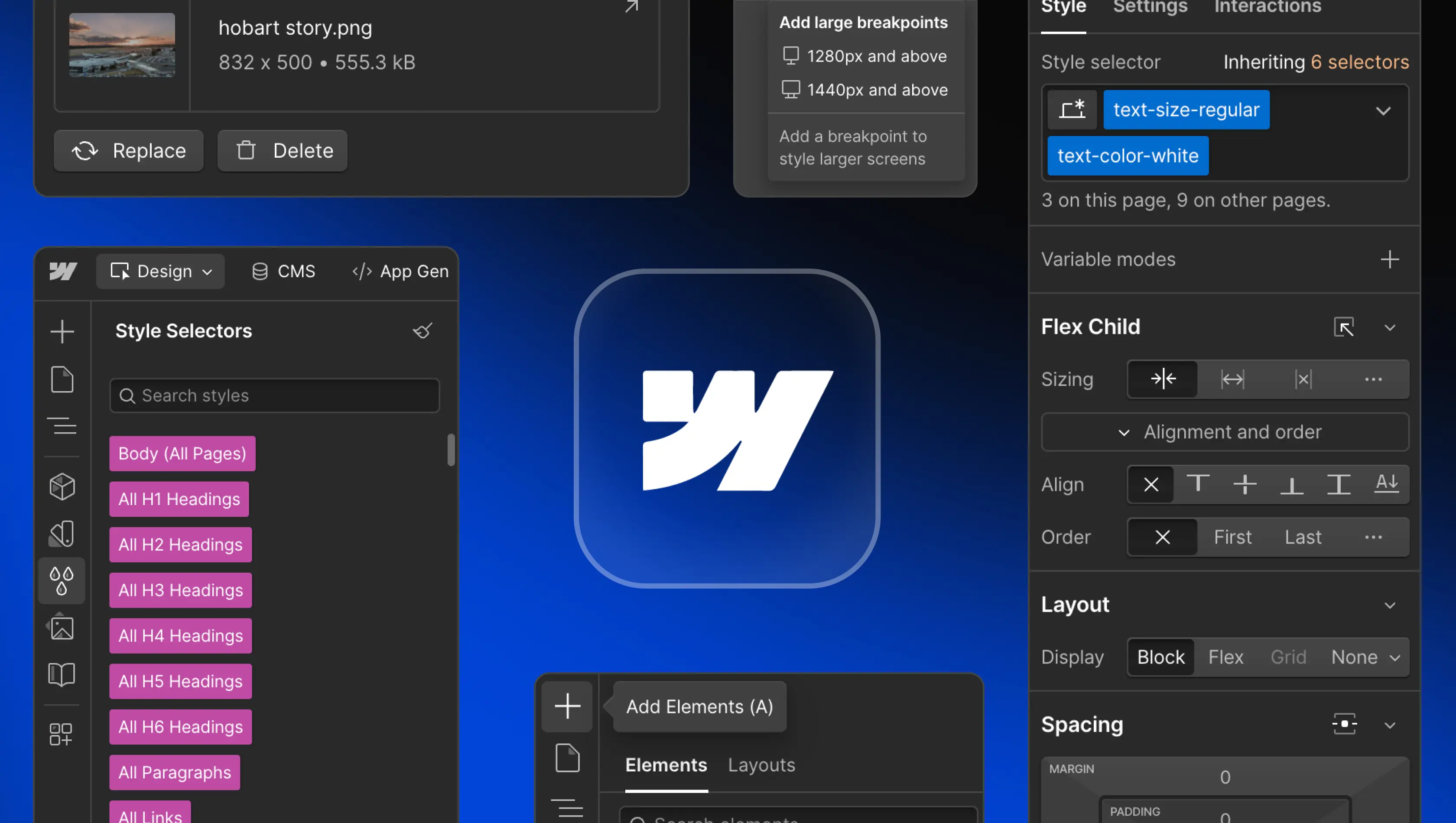
Table of Contents
Webflow is a modern website builder used by designers, developers, and marketers to create scalable, high-performing, responsive websites through a visual, no-code interface. It blends the flexibility of professional web design tools with the reliability of managed hosting, giving teams complete creative control while keeping projects simple to maintain and scale.
As a no-code development platform, Webflow brings design and development together in one place. Users can build websites visually using a drag-and-drop interface that generates clean, production-ready HTML, CSS, and JavaScript. For New Zealand businesses, this means faster delivery, easier collaboration, and less time spent managing plugins or technical tasks.
Key features of Webflow
Visual Canvas and Designer
The Webflow Designer is a real time visual editor that lets teams design directly in the browser. Every adjustment to layout, font, or colour is immediately reflected on the page, making it easy to refine details and maintain consistency across devices. The experience feels familiar to those using design tools like Figma, yet it produces clean code ready for launch. This level of precision helps freelancers, agencies, and marketing teams build Webflow websites that balance creativity with functionality.
Content Management System (CMS)
The Webflow CMS provides a flexible content management system for handling CMS Collections such as blogs, case studies, and product or team pages. It connects directly to the design layer, enabling content editors to update text, images, and links within Webflow’s on-page editing interface in real time. Teams can scale content without developer input, and SaaS or ecommerce websites can manage dynamic pages that stay consistent with brand and layout. This structure gives marketing teams independence while maintaining visual consistency, performance, and SEO standards across every page.
Interactions and animations
Webflow’s animations and interaction tools enable motion design without code. Designers can trigger actions based on scroll, click, or hover to create seamless movement and transitions. These effects elevate user experience, helping brands deliver modern, engaging websites. The visual interface makes it simple to test and adjust timing, encouraging creative experimentation while maintaining a lightweight build for high-performance results. Because animations are built natively, there’s no reliance on external plugins or heavy JavaScript libraries.
Advanced SEO Control
Webflow gives teams precise control over key SEO settings, including page titles, meta descriptions, 301 redirects, and indexing preferences. It automatically generates sitemaps and clean semantic code that helps search engines crawl content efficiently. The platform’s global CDN and built-in SSL encryption improve page speed and security, while its consistent structure supports better visibility in search-engine rankings. With technical optimisation handled automatically, New Zealand businesses can focus on creating quality content and growing their online presence, confident their site meets modern performance and compliance standards.
Secure hosting
Webflow’s hosting delivers enterprise-grade reliability and scalability through AWS infrastructure and a global CDN, ensuring fast load times across New Zealand and international markets. Every Webflow site includes automatic SSL certificates, daily backups, and version control to maintain uptime and security. Businesses can choose from flexible Webflow pricing tiers and site plans based on traffic and performance needs. By removing the complexity of server management, Webflow provides a secure, high-performance foundation that supports both small business sites and large, content-driven platforms.
Integrations
Webflow connects seamlessly with marketing, analytics, and automation tools such as Google Analytics, Zapier, and Mailchimp. It also integrates with payment providers like Stripe, enabling smooth, secure transactions for ecommerce websites. Developers can extend site functionality through APIs and custom code, ensuring flexibility for advanced use cases. On Webflow Enterprise, integration depth increases further, allowing teams to connect directly with CRMs, analytics platforms, and internal systems for centralised workflows and data management. These integrations create a unified digital workspace where teams can manage content, performance, and operations efficiently from one platform.
Content Localisation (Global Websites)
Webflow includes built-in localisation tools that make managing multilingual and regional sites simple. Teams can translate and customise both static and dynamic content, manage regional URLs, and tailor experiences for each market within a single project. Language variations are linked to the same design system, ensuring every locale maintains brand consistency and technical performance. This approach allows organisations to scale their global websites efficiently, reducing duplication while maintaining control over SEO, accessibility, and ongoing updates.
Page Speed & Performance
Performance is a core part of Webflow’s architecture. The platform automatically optimises assets, compresses images, and minifies code to streamline loading times across all devices. Content is served through a global CDN, providing low-latency delivery no matter where users are located. Features like real time caching and automatic scaling keep websites reliable even under high traffic. These performance efficiencies support stronger SEO rankings, higher user engagement, and smoother experiences for visitors across every page.
Who Benefits from Webflow?
For Marketing Teams
Marketing teams use Webflow to gain full control over their websites without relying on developers for everyday updates. They can launch landing pages, refresh campaigns, and publish content directly using Webflow’s on-page editing interface. Built-in SEO and analytics integrations support data-driven decisions, while shared workspaces improve collaboration across teams. This independence shortens turnaround times and allows marketing teams to focus on strategy, messaging, and results rather than technical workflows or maintenance.
For Designers
Designers use Webflow as an end-to-end design and development platform that brings creative control and technical precision together. The Webflow Designer gives complete authority over layout, typography, and animation, allowing visual ideas to be built and tested in real time. Integrations with Figma and reusable design components make it easy to maintain brand systems and ensure consistency across pages. This streamlined process removes hand-offs, speeds up delivery, and gives design teams the freedom to experiment while keeping performance and accessibility in check.
For Developers
Developers use Webflow to build and scale websites quickly while maintaining full control over structure and performance. By handling marketing and content sites within Webflow, engineering teams avoid being pulled away from core product work by Webflow development. The platform supports custom code, APIs, and integrations with major SaaS tools for flexibility when needed. Shared workspaces let marketing teams publish independently, reducing developer involvement in routine updates and improving efficiency across the organisation.
How Does Webflow Compare to Other Platforms?
Webflow vs. WordPress
WordPress is highly flexible but depends on plugins, separate hosting, and ongoing updates. Webflow vs WordPress often comes down to maintenance and speed. Webflow simplifies site management with integrated hosting, SEO, and design tools that work together. For NZ businesses that want fewer dependencies and faster turnaround, Webflow delivers smoother workflows and reduced long-term maintenance.
Webflow vs. Framer
Framer focuses on interactive prototypes and advanced functionalities, but lacks Webflow’s CMS collections, ecommerce, and hosting features. Webflow functions as a complete web development solution, offering dynamic content and scalable publishing through Webflow Enterprise. Framer suits experimental design, while Webflow is better for professional webflow websites requiring consistent performance and SEO.
Webflow vs. DIY Builders (e.g. Wix and Squarespace)
DIY builders like Wix and Squarespace provide accessible templates for beginners, but their design flexibility and scalability are limited. Webflow combines the simplicity of drag-and-drop editing with the power of custom code. It delivers full design freedom, stronger functionality, and more refined control over SEO optimisation and structure. For established companies and creative studios, it’s a more professional alternative to typical DIY website builders.
Webflow vs Custom Code
Building sites from scratch allows total control but requires specialist developers. Webflow replicates that flexibility visually, producing clean, exportable code. It supports custom code blocks for integrations and unique workflows, reducing build times without compromising quality. This hybrid approach lets teams build websites faster while maintaining performance and scalability.
The Future of Webflow and No-Code Development
Webflow continues to lead the no-code movement by empowering designers and marketers to create production-level sites without writing code. Its focus on advanced functionalities, performance, and scalability makes it a key platform for modern agencies. Ongoing updates to Webflow Enterprise, ecommerce, and API integrations strengthen its role for larger teams. As New Zealand’s digital economy grows, more businesses are choosing Webflow for its balance of visual design control and technical depth.
Is Webflow the Right Choice for Your Project?
Webflow is ideal for companies that want a modern, flexible website builder managed by experts. It combines design tools, hosting, and security into one reliable workspace. For SaaS startups, agencies, and established NZ brands, it allows user-friendly collaboration where marketing teams can update content while developers focus on strategy. With scalable Webflow pricing, transparent site plans, and high-quality support from Webflow experts, it is a strong foundation for long-term growth.
What are the limitations of Webflow?
Webflow is primarily a front-end system, so it may not fit projects requiring complex backend architecture or large databases. While its e-commerce stores suit most businesses, enterprise retailers may need more specialised integrations. Teams needing highly specific infrastructure can pair Webflow with external APIs for extended capability. Even so, Webflow remains one of the most efficient platforms for performance-driven web development.
Whether you’re launching a new site or moving platforms, Edition can help you make the right decisions. Let's talk.
FAQs
What does Webflow offer businesses?
Webflow gives New Zealand organisations a complete, modern way to build and maintain professional websites. The platform merges design, content management, hosting, and SEO tools in one place, eliminating plugin maintenance. It delivers speed, security, and design flexibility while reducing development overhead. For local teams, it means more independence. Marketing can make updates directly while technical staff focus on growth and new product features.
Is Webflow better than WordPress?
In most cases, yes. WordPress often relies on third-party plugins and external hosting, which can slow sites and complicate upkeep. Webflow manages design, hosting, and optimisation under one secure environment. With built-in SSL and a global CDN, pages load quickly and rank better in search results. For New Zealand businesses wanting performance and simplicity, Webflow provides reliability without constant maintenance.
Is Webflow good for startups and growing businesses?
Yes. Startups value how quickly Webflow turns ideas into live websites. Marketing teams can change content or launch new pages through the intuitive editor, avoiding developer bottlenecks. Built-in responsive design and automatic optimisation save time, while the CMS scales smoothly as the company grows. For early-stage businesses focused on visibility and sales, it’s an affordable, scalable web platform.
Does Webflow support ecommerce websites?
Yes. Webflow Ecommerce lets New Zealand retailers design fully branded online stores without templates. Teams can manage products, customise checkout, and accept NZD payments through Stripe. Performance and responsive behaviour are handled automatically. It’s ideal for brands wanting creative freedom, reliable security, and professional polish without external plugins.
Is Webflow easy for clients to manage after launch?
Yes. Clients can edit text, images, or links directly through Webflow’s visual editor and preview updates before publishing. The interface is clear and user-friendly, allowing non-technical staff to maintain the site day-to-day. Combined with Webflow University resources and local onboarding support, this makes site management straightforward and efficient.
What is the learning curve like for Webflow?
Webflow is simple to learn when properly structured. Templates and CMS collections make adding new pages effortless. Most teams can maintain blogs, case studies, or landing pages without writing code. After a short training session, clients quickly gain confidence editing content while designers focus on creative refinement and performance improvements.