What is Webflow?
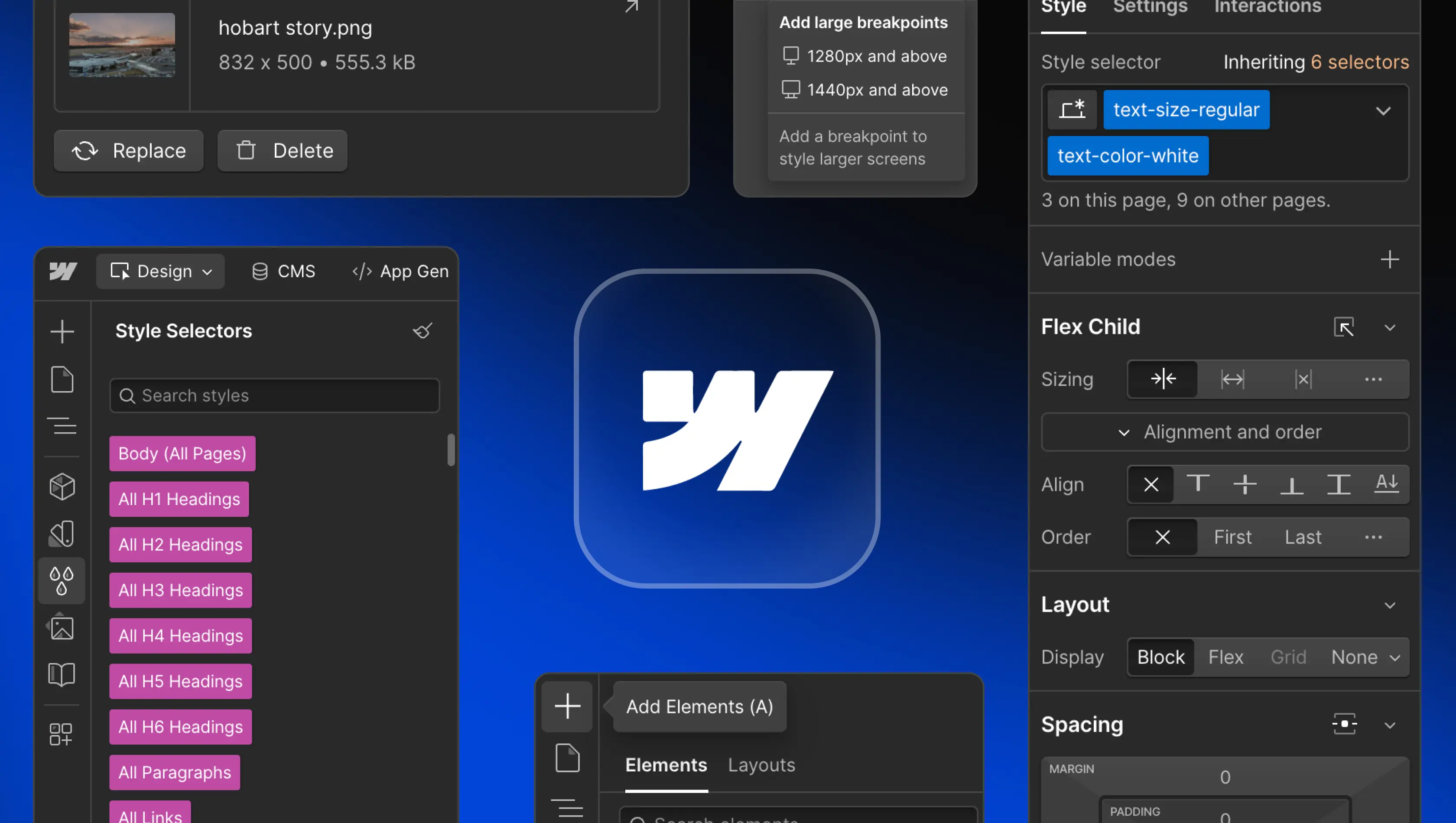
Table of Contents
Webflow is a modern web development platform that empowers teams to design, build, and launch responsive websites visually, without writing code. It combines design, content management, hosting, and collaboration into one system, helping organizations ship faster and maintain quality at scale. By bridging design freedom with technical precision, Webflow allows companies to create high-performing digital experiences while reducing reliance on engineering resources.
Key features of Webflow
Visual Canvas and Designer
The Webflow Designer gives creative and technical teams complete visual control over layout, typography, and structure, while automatically generating clean, production-ready HTML, CSS, and JavaScript. Designers can work side-by-side with developers in real time, eliminating handoffs and improving efficiency. The responsive canvas ensures every design adapts seamlessly across breakpoints, supporting consistent performance on any device.
Content Management System (CMS)
The Webflow CMS is built for flexibility, giving teams the power to manage structured content like blogs, case studies, and product pages without touching code. Editors can make updates directly through Webflow’s on-page editing interface, keeping content current in real time. Because the CMS integrates directly into the design layer, content updates never break layouts or styling. The result is a scalable, search-optimized content system that reduces maintenance and accelerates publishing.
Interactions and animations
Webflow’s advanced animation capabilities are powered by GSAP (GreenSock), now integrated into the platform’s core. Teams can build sophisticated, timeline-based animations that respond to scroll, hover, and click events. These effects improve engagement and storytelling while maintaining excellent page speed. With control directly inside the Designer, Webflow makes it easy to create motion-rich, high-performance experiences without adding external libraries or code.
Advanced SEO control
Webflow gives teams precise control over SEO settings including meta titles, descriptions, redirects, and indexing preferences. It automatically creates clean code, sitemaps, and robots.txt files to ensure search engines can crawl efficiently. Built-in SSL security, a global CDN, and automated performance optimization further boost rankings and trust. With technical SEO handled in the background, marketing teams can focus on content strategy and growth instead of platform maintenance.
Secure hosting
Webflow’s hosting is built on AWS and a global CDN, providing enterprise-level reliability and security. Each Webflow site includes automatic SSL, daily backups, and version control for peace of mind. Businesses can choose Webflow pricing tiers and site plans that scale with traffic and performance needs. Since server management is fully handled by Webflow, organizations can focus on growth while maintaining fast, secure, and always-available websites.
Integrations
Webflow integrates seamlessly with popular marketing, analytics, and automation tools like Google Analytics, Zapier, and HubSpot. For commerce, it connects directly with Stripe and other payment providers. Developers can extend functionality through APIs and custom code, while Webflow Enterprise customers can connect their tech stack through deeper integrations with CRMs, DAMs, and internal systems. These integrations unify content, analytics, and performance, giving teams a single platform for coordination and delivery.
Content localization (global websites)
Webflow’s native localization features make it easy to manage multilingual and regional content from one project. Teams can translate static and dynamic content, set regional URLs, and configure SEO tags by language. Each locale shares the same design system for brand consistency, while content can be customized to regional needs. This allows companies to scale globally without duplicating builds or sacrificing technical performance.
Page speed and performance
Speed and stability are built into Webflow’s infrastructure. The platform automatically compresses images, minifies code, and serves assets through a distributed CDN to reduce load times. Real-time caching ensures uptime even during traffic surges. Together, these optimizations improve search visibility, conversion rates, and user experience across devices. High-performing websites not only rank better but also retain visitors longer, making performance a core competitive advantage.
Who benefits from Webflow?
For marketing teams
Marketing teams use Webflow to manage websites without waiting on developer resources. They can publish new landing pages, update campaigns, and refine messaging directly within the visual interface. Integrated analytics and SEO tools support faster decision-making, while Workspaces allow collaboration between marketers, designers, and stakeholders. The result is a faster, more flexible marketing operation that can launch ideas as quickly as they’re conceived.
For designers
Webflow gives designers full creative freedom with production-ready precision. The Webflow Designer allows control over every detail of layout, type, and animation, so teams can translate vision into a live site exactly as intended. Figma integration and reusable components help maintain design systems across pages and projects. This alignment between design and development enables faster iteration, stronger brand consistency, and fewer rounds of revision.
For developers
Developers use Webflow to accelerate front-end production and reduce maintenance overhead. With custom code, APIs, and SaaS integrations, they can extend functionality while focusing their efforts on product development rather than marketing-site updates. By giving marketing teams autonomy through shared Workspaces, Webflow removes bottlenecks, streamlines workflows, and helps organizations ship faster without compromising technical quality.
How does Webflow compare to other platforms?
Webflow vs WordPress
Unlike WordPress, which depends on third-party plugins and manual updates, Webflow consolidates design, hosting, and security into one ecosystem. It eliminates plugin conflicts and performance risks while offering precise design control and built-in SEO. For businesses that value visual flexibility and reduced maintenance, Webflow provides a faster, safer, and more scalable alternative.
Webflow vs Framer
Framer focuses on design prototyping but lacks the scalability and CMS depth required for large content-driven websites. Webflow supports both creativity and structure through a production-ready CMS, integrated hosting, and enterprise-level reliability. It’s ideal for teams that need design freedom alongside a system that can grow with their business.
Webflow vs DIY builders (e.g. Wix and Squarespace)
DIY website builders are accessible but limited in flexibility and long-term performance. Webflow offers the same ease of use while providing advanced functionality, CMS control, and SEO tools for professional-grade results. It’s designed for teams that want a no-code workflow without sacrificing design depth or scalability.
Webflow vs custom code
For advanced web applications requiring deep back-end logic, custom development remains necessary. But for marketing, product, and brand sites, Webflow closes the gap between code and design. It enables teams to build production-grade websites visually, delivering the same level of precision and performance while drastically reducing time to launch and maintenance costs.
The future of Webflow and no-code development
Webflow continues to evolve beyond its no-code roots, becoming a cornerstone of modern digital operations. With GSAP animation technology, expanded Enterprise features, and deeper API integration, it now supports entire digital ecosystems. This evolution makes Webflow not just a design tool but an operational platform that connects design, marketing, and engineering.
As organizations embrace faster, design-led workflows, Webflow’s blend of flexibility, scalability, and precision makes it a critical part of the digital stack. It empowers teams to build continuously, improve performance, and adapt to market changes without technical friction.
Webflow as the first Website Experience Platform (WXP)
Webflow has become the world’s first Website Experience Platform (WXP). A new category that unites design, content, hosting, analytics, and optimization. Teams can design visually, manage content dynamically, experiment using Webflow Optimize, and measure results through Webflow Analyze. This combination turns a traditional website into a performance engine that supports real-time iteration and decision-making.
By bringing together design, data, and delivery, Webflow enables continuous improvement across every stage of the website lifecycle. It provides a single collaborative environment where creative, marketing, and technical teams can build and optimize digital experiences that drive measurable growth.
Is Webflow the right choice for your project?
Webflow is a strong choice for businesses that value design precision, scalability, and faster delivery. It supports marketing sites, SaaS platforms, and ecommerce websites through a unified visual development environment that streamlines collaboration across teams. The platform’s built-in SEO, CMS, and hosting remove the need for separate systems, reducing complexity and cost.
For startups, agencies, and established brands, working with experienced Webflow experts ensures your site is scalable, user-friendly, and optimized for long-term performance. As the first Website Experience Platform (WXP), Webflow provides the flexibility and control modern teams need to design, launch, and evolve high-impact websites efficiently.
What are the limitations of Webflow?
While Webflow offers significant flexibility, it’s not suited for all project types. Complex web applications requiring deep back-end logic, user authentication, or custom databases are better served by full-stack frameworks. Webflow Ecommerce supports most online stores, but enterprise retailers may need more specialized integrations.
For organizations that require total infrastructure control or highly dynamic functionality, Webflow can serve as part of a hybrid stack that combines visual development with custom code. Understanding these boundaries helps teams use Webflow for what it does best, delivering fast, reliable, and visually precise websites that are easy to maintain.
Planning a new website, redesign, or migration? Edition can help you assess the right approach for your team. Let's talk.
FAQs
What does Webflow offer businesses?
Webflow gives companies in the US a faster, more efficient way to create high-performing websites. It unites design, CMS, hosting, and SEO tools in a single environment, reducing dependency on third-party software. Teams benefit from cleaner code, responsive design, and faster turnaround. This all-in-one approach lowers maintenance costs and helps marketing teams manage content and optimisation independently.
Is Webflow better than WordPress?
For most organisations, yes. WordPress requires plugin upkeep and separate hosting, which increases risk and slows performance. Webflow centralises design, security, and optimisation within one managed platform. It offers stronger reliability, built-in SEO, and precise visual control. For US businesses focused on results, Webflow improves productivity and reduces ongoing technical debt.
Is Webflow good for startups and SaaS companies?
Absolutely. Startups and SaaS teams value Webflow’s speed and scalability. Marketing can design and publish content in real time while engineers stay focused on product innovation. The modular CMS makes it simple to adjust messaging or launch new pages instantly, supporting faster go-to-market strategies and sustained growth.
Does Webflow support ecommerce websites?
Yes. Webflow Ecommerce allows full design freedom and streamlined operations. Businesses can customise product layouts, manage inventory, and take payments through Stripe or other providers. Built-in optimisation keeps sites fast and responsive across devices. For growing US brands, it delivers a flexible, conversion-ready ecommerce experience without plugin maintenance.
Is Webflow easy for clients to manage after launch?
Yes. Webflow’s visual editor lets teams update copy, media, or product details instantly with no code required. Changes appear in context, reducing errors and saving time. Training videos and Webflow University resources make onboarding quick so marketing teams can work independently while developers focus on higher-value projects.
What is the learning curve like for Webflow?
The learning curve is minimal when handled by experienced Webflow experts. Sites are configured with reusable templates and a clear CMS, making editing intuitive. After short onboarding, teams can manage content confidently and maintain performance without technical support, ensuring long-term efficiency.