The Ultimate SEO Guide for Webflow

At Edition, Webflow is our platform of choice for website builds. It unifies web design, content management, hosting, and SEO controls inside a single visual development platform. Built on no-code principles but extensible with custom code, it sidesteps the plugin dependencies, database overhead, and theme conflicts that plague other website builders. Is Webflow good for SEO? Absolutely, and this guide walks through why.
No platform ranks a site by itself, though. Webflow handles the technical floor; strategy, content, and expertise set the ceiling. What follows covers on-page fundamentals, CMS architecture, schema markup, localisation, and the mistakes that most frequently hold Webflow sites back. The goal is practical, actionable guidance for optimising Webflow SEO.
Why Webflow is Built for SEO
What Webflow handles natively
Webflow produces semantic HTML and clean code as standard. Plugin bloat, slow database queries, and theme conflicts are simply not part of the equation. Search engines read your HTML directly, so cleaner code translates to fewer obstacles between your page content and the crawler.
From day one, a Webflow site provides direct control over meta titles, meta descriptions, Open Graph meta tags and images, and custom URL slugs for every page and CMS item. XML sitemaps generate and update themselves automatically. The canvas enforces responsive design by default, so every site is mobile-friendly without extra configuration. On top of that, the platform manages CSS and JavaScript bundling, image compression, and global CDN hosting, each of which contributes to fast load times.
On platforms like WordPress, SEO functionality typically depends on plugins such as Yoast or Rank Math. Webflow ships these SEO features natively. The SEO capabilities come built into the core product, not layered on after the fact.
Where expertise still matters
Infrastructure is only half the story. Keyword research, search intent analysis, content strategy, link acquisition, and staying ahead of algorithm changes all require human judgement. Webflow will not identify which pages to create, which topics to pursue, or how to write high-quality content that earns backlinks.
These decisions are what separate a site on page one from one on page five, and the sites being referenced by AI tools like ChatGPT, Perplexity, and Claude from those being ignored.
The fundamentals hold true whether the objective is traditional search rankings or visibility in AI-generated answers: clear structure, quality content, and sound technical foundations. Webflow offers an excellent set of controls for any Webflow website, but the organic traffic ultimately depends on what you do with them. For NZ businesses on an international stage, getting this right is what turns a well-built site into a genuine growth engine.
On-Page SEO in Webflow
On-page SEO encompasses everything that can be optimised on the webpage itself to improve search rankings and attract more relevant organic traffic.
Page titles and meta descriptions
Your page title is among the strongest on-page ranking signals and the first thing a user sees in the SERP. Within Webflow, every page and CMS item includes dedicated fields for page titles (also known as title tags or SEO titles) and meta descriptions, found in the page settings panel.
Page titles should stay under 60 characters, include the target keyword naturally, and accurately reflect the page content. Meta descriptions do not directly affect rankings, but they significantly influence click-through rates. The target is 150 to 160 characters, incorporating relevant keywords where the text reads naturally.
On CMS-driven pages, dynamic fields generate meta titles and descriptions automatically, so every blog post or product page carries unique metadata without manual effort.
Heading structure
Headings (H1 through H6) give page content a scannable structure for users and signal topic hierarchy to search engines. A clear header and heading structure also benefits accessibility, since screen readers depend on headings to navigate the page.
Webflow assigns heading tags through element settings, decoupled from visual styling. The standard approach is one H1 per page, H2s for subtopics, and H3s for supporting points.
URL architecture
Clean, descriptive page URLs are a baseline expectation for both usability and SEO. Webflow allows the slug to be customised for every static page and CMS item, and for CMS collections it generates readable page URLs dynamically at scale.
When a Webflow website sits on a subdomain (such as blog.yoursite.com), search engines may treat it as a distinct entity. Subfolders (yoursite.com/blog) consolidate domain authority more effectively wherever possible.
Image optimisation and alt text
Images are central to user experience, but they are also the most frequent cause of slow page speed. Every uncompressed image increases your page load time, pushing up load times and dragging down website performance.
Webflow handles responsive images automatically and supports lazy loading. Best practice is to use modern formats like WebP wherever possible and ensure images are sized to their actual display dimensions. Alt text (sometimes referred to as alt tags) describes image content for users who cannot see it, including those relying on screen readers, and gives search engines additional context.
Each image should carry descriptive, accurate alt text that incorporates relevant keywords naturally while prioritising the human reader. Webflow can also generate alt text with AI. As a pro tip, configuring alt text at the asset level means it applies across every instance where that image appears.
Internal linking
Internal linking ties pages together within a Webflow site, helping search engines discover content, understand relationships between pages, and distribute link equity.
Webflow's link settings make it simple to connect any page, CMS item (such as a blog article or case study), or section. Linking from high-authority pages to those that need a boost, using descriptive anchor text, remains one of the most underrated on-page SEO tactics, and one of the few where effort compounds directly with results.
Technical SEO
Technical SEO is the infrastructure layer ensuring search engines can crawl, index, and render a Webflow site without friction. Webflow addresses much of this natively, but understanding what happens beneath the surface is still valuable.
Sitemaps and robots.txt
An XML sitemap listing every published page and CMS item is generated automatically by Webflow and can be submitted directly to Google Search Console. Individual pages can be excluded from indexing through page settings, and individual CMS items can be excluded through their item settings on paid site plans, giving fine-grained control over what search engines see.
The robots.txt file instructs crawlers on which areas of a site to access or avoid. Webflow makes this customisable through the site settings panel. Both the sitemap and the robots.txt file sit at their standard paths, exactly where search engines expect them.
For teams considering answer engine optimisation (AEO), Webflow also supports a native llms.txt file, offering structured information about your site for large language models.
Canonical tags and duplicate content
Identical content appearing at multiple URLs creates confusion for crawlers, which struggle to decide which version to index and end up diluting search rankings. Canonical tags address this by nominating the preferred version.
In Webflow, canonical URLs can be configured in the page settings for both static pages and CMS items.
Redirects
Whenever pages move or are removed, 301 redirects protect the SEO value built up at the original URL. Without them, the result is 404 errors, lost link equity, and a weakened user experience.
Webflow offers a simple interface for managing 301 redirects within the project settings.
CMS & Content Architecture
The Webflow CMS is where SEO gains real scale. A thoughtfully structured CMS turns a content library into an interconnected network of optimised pages, not just a loose set of posts.
Structuring collections for search
CMS collections in Webflow allow custom content types to be defined: blog posts, case studies, team profiles, product pages, and more. Collection fields should include meta titles, meta descriptions, featured images with alt text, author references, and any structured data you plan to implement. The objective is that every item published through the Webflow CMS arrives SEO-complete by default.
Categories, tags, and reference fields build logical groupings that serve both user navigation and search engine comprehension. High-quality, well-organised quality content is easier to crawl, easier to link to, and easier to rank.
SEO settings for CMS items
Each CMS item in Webflow carries its own page settings panel, including fields for meta title, meta description, open graph image, and canonical URL. These can pull from collection fields dynamically, scaling unique metadata across hundreds of pages. Periodic audits of CMS SEO settings are worthwhile, since items published with default or empty metadata are a frequent gap in busy content operations.
Scaling internal linking through the CMS
The CMS enables internal linking at scale. Reference fields and multi-reference fields establish relationships between collections, and templates render those relationships as contextual links. A blog post can automatically surface related case studies; a product page can link through to supporting resources.
This is the in-house equivalent of building backlinks. Unlike external backlinks, it can be done immediately and systematically.
Localisation & International SEO
For Kiwi companies, international expansion is rarely optional, and it introduces SEO complexity that goes well beyond translation. Search engines need unambiguous signals about which content serves which audience.
How Webflow handles multilingual SEO
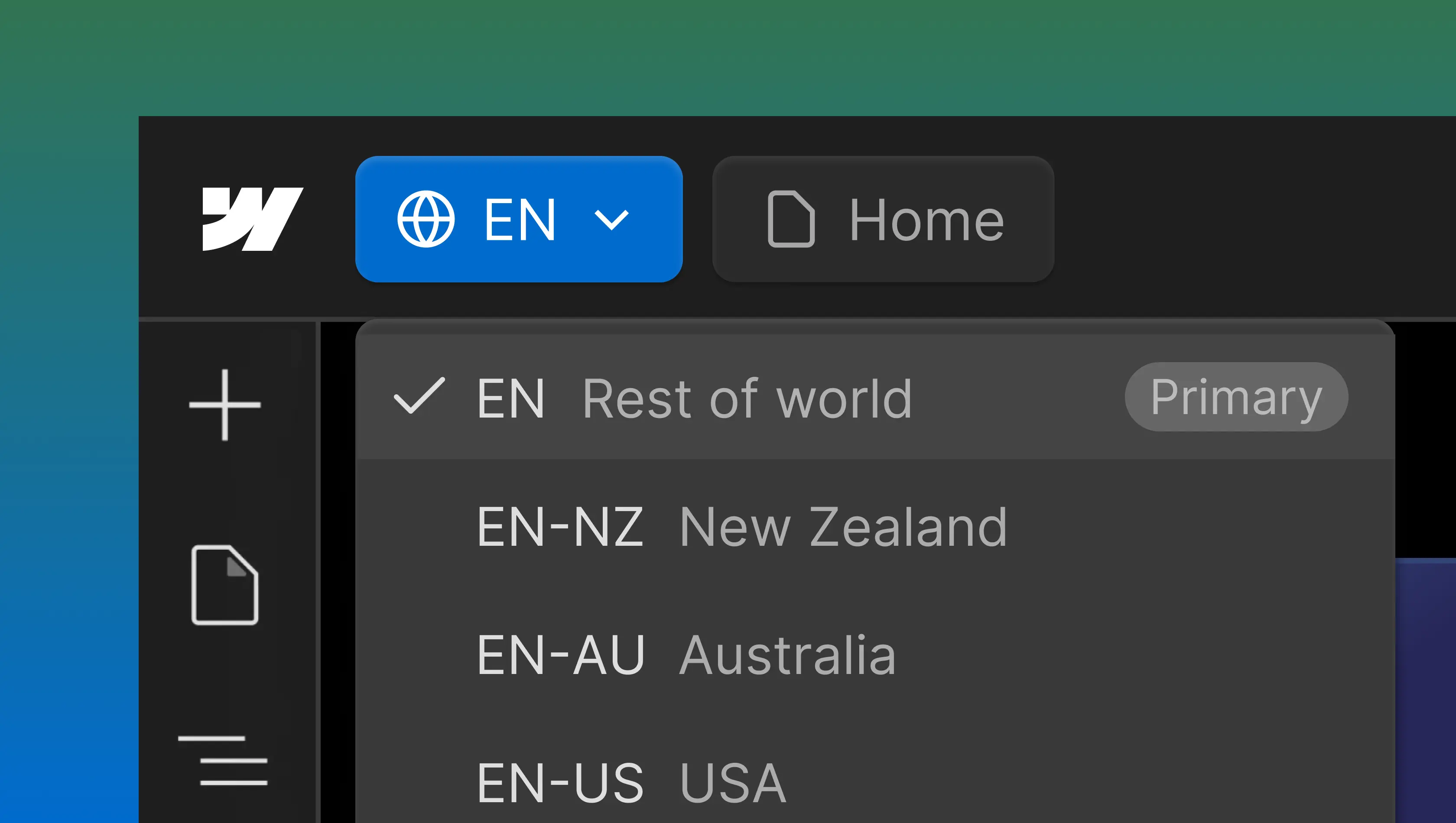
Webflow's native localisation features let teams create locale-specific versions of content within a single project, each carrying its own translated or adapted content, metadata, and URL structure. For the majority of multilingual SEO needs, Webflow manages the heavy lifting natively, including automatic hreflang generation and localised sitemaps.
Hreflang and locale structure
Hreflang tags communicate to search engines which language and region each version of content targets. Without them, search engines risk serving the wrong locale or treating translated pages as duplicate content.
Webflow manages hreflang implementation automatically. Once localisation is active, hreflang tags appear on all static and CMS-driven pages, covering the relevant language-region pairs (such as en-nz, en-au, or en-us) alongside an x-default tag for the primary locale. Tags are included in the page-level HTML and the auto-generated sitemap. Subfolders (/nz/, /au/, /us/) form the default URL structure, keeping all page URLs under one domain and consolidating authority. Teams requiring finer control can disable hreflang auto-generation in favour of a custom JavaScript implementation.
Content variation across markets
Strong international SEO demands more than translation. Keyword research should happen independently for each locale; the terms a New Zealand audience searches for often differ from those used in Australia or the United States. Search intent can shift between markets too. Webflow's CMS supports content variations across locales efficiently, so each market receives high-quality content shaped to its specific context.
Schema Markup in Webflow
Schema markup is structured data embedded in your HTML that gives search engines explicit context about page content: pricing, availability, authorship, publication dates, and more.
The reward is richer SERP listings. Schema can produce rich snippets displaying star ratings, pricing, FAQ dropdowns, and event dates, which earn higher click-through rates than standard blue links. Which schemas are worth implementing depends on the site. Ecommerce sites should focus on Product schema (including pricing data), content-heavy sites benefit from Article schema, and local businesses gain visibility through Local Business schema.
Webflow now includes a built-in schema markup generator capable of creating structured data from visible page content automatically. On CMS collection pages, Webflow AI generates schema that draws in relevant dynamic fields. Custom code embeds are still available for advanced requirements, and SEO tools such as Google's Structured Data Markup Helper can assist with initial setup. Validation through Google Search Console's Rich Results Test confirms that structured data is rendering as expected.
Common Webflow SEO Mistakes
Strong native SEO capabilities do not make a site immune to errors. These are the places where teams most commonly fall short.
Missing or duplicated meta titles
Each page requires a unique, descriptive meta title. Duplicated SEO titles tell search engines that multiple pages may cover the same topic, which dilutes search rankings for all of them. Auditing title tags across static pages and CMS items in the page settings catches these issues before they compound.
Unoptimised images
Oversized images are the single most frequent cause of poor page speed on Webflow sites. Every image should be compressed, formatted appropriately (WebP where supported), and dimensioned to match its display size. Missing or placeholder alt tags represent a missed opportunity for both search engines and screen readers. Webflow's AI-powered alt text generation can help close gaps, though reviewing generated output for accuracy is still recommended.
Excessive third-party scripts
Each third-party script adds to page load time. Analytics trackers, chat widgets, heatmaps, and marketing pixels all download JavaScript and contend for rendering priority. This is the one area where Webflow's otherwise strong website performance can genuinely suffer. The effect compounds: ten scripts each making their own network requests can add seconds to loading speed.
Overlooking CMS-driven pages
It is common for teams to concentrate SEO efforts on static pages while neglecting CMS-driven content. Every blog post, case study, or product page produced by the Webflow CMS is a distinct webpage with its own ranking potential. Dynamic meta titles, descriptions, and Open Graph data need to be configured correctly for every CMS page content template.
Forgetting 301 redirects
This mistake carries the longest recovery time. Without 301 redirects mapping old URLs to their replacements, accumulated link equity disappears, 404 errors multiply, and external backlinks break. The redirect map should be prepared before launching a new website, not afterwards. Projects that skip this step typically spend months recovering lost SEO value.
SEO Strategy (Before You Touch Webflow)
Effective SEO begins before the Webflow Designer is even opened. Search engine optimisation is a process that starts with keyword research: identifying what the target audience is searching for, the language they use, and the search intent behind each query.
Keywords should map to specific pages, with each page pursuing a distinct set of relevant keywords and satisfying a clear user intent. When two pages chase the same terms, they compete with each other instead of reinforcing search rankings. Site structure should be designed for search visibility, with a logical hierarchy and clear navigation paths ensuring important content is never more than a few clicks from the homepage. Flat architectures supported by strong internal linking consistently outperform deep, siloed structures.
This strategic groundwork is what separates a Webflow site that ranks from one that merely exists. The platform provides the functionality to execute; the SEO strategy provides something worth executing. For beginners, this phase can feel abstract, but the teams that invest here are the ones that see compounding organic traffic over months and years.
In Summary
Webflow delivers a capable, SEO-friendly platform that takes care of the technical foundations most website builders need plugins or workarounds to achieve. Clean code generation, native metadata controls, automatic XML sitemaps, responsive design, and fast hosting form a strong starting point, but a starting point is all it is.
Reaching and sustaining strong SEO performance takes strategic keyword research, disciplined on-page optimisation, considered content architecture, and continuous monitoring through tools like Google Analytics and Google Search Console. You can use Webflow to handle the technical layer, but the expertise is what determines how far you go.
At Edition, our approach to SEO-optimised Webflow websites combines deep platform knowledge with dedicated SEO strategy. We handle site architecture, CMS structures, page templates, schema markup, hreflang, canonical tags, and redirect management as part of every build.
If you are looking to build or improve an existing Webflow website with SEO at its foundation, get in touch.